Skydiving Formations Lite1.2
Publisher Description
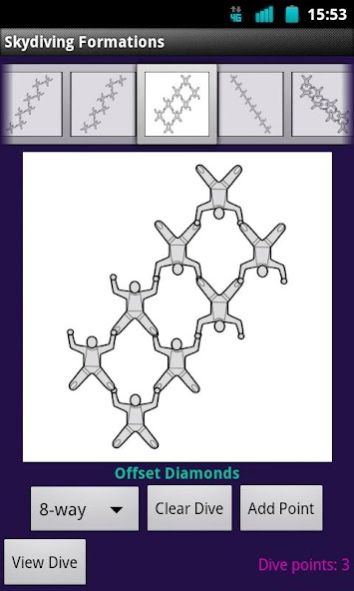
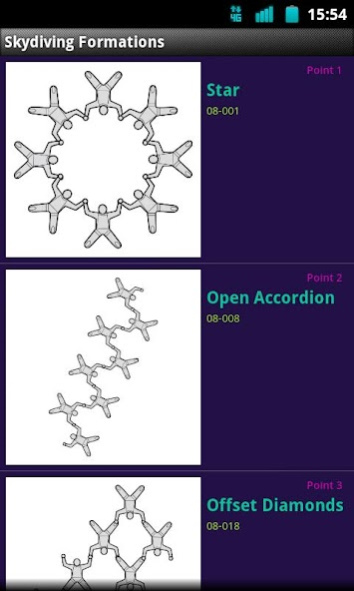
Note: this is the demo "Lite" version of the app. It includes all of the 9-ways, but only a small sampling of the other formation sizes. Its purpose is to allow you try the app and see if the full app will be useful for you. The full version of the app contains over 1000 formations.
Perfect for the skydiving organizer, this app allows formation skydives to be assembled from a collection of skydiving formations, from 2-ways to 20-ways (yes, every size: 2-, 3-, 4-, 5-, 6-, 7-, 8-, 9-, 10-, 11-, 12-, 13-, 14-, 15, 16-, 17-, 18, 19- and 20-ways!). The variety of formations includes both easy and challenging formations, making it easy to quickly create dives for jumpers of all experience levels. Need some 7-way or 13-way formations? You'll find them in this app.
Once a dive size is selected (2-way, 4-way, 20-way, etc.), formations can be browsed and added to form a sequence of "points", which becomes the planned skydive. The completed dive can then be reviewed while it is practiced on the ground ("dirt-dived").
About Skydiving Formations Lite
The company that develops Skydiving Formations Lite is Wild Lava. The latest version released by its developer is 1.2. This app was rated by 1 users of our site and has an average rating of 3.0.
To install Skydiving Formations Lite on your Android device, just click the green Continue To App button above to start the installation process. The app is listed on our website since 2018-12-28 and was downloaded 82 times. We have already checked if the download link is safe, however for your own protection we recommend that you scan the downloaded app with your antivirus. Your antivirus may detect the Skydiving Formations Lite as malware as malware if the download link to com.wildlava.skydivingformationslite is broken.
How to install Skydiving Formations Lite on your Android device:
- Click on the Continue To App button on our website. This will redirect you to Google Play.
- Once the Skydiving Formations Lite is shown in the Google Play listing of your Android device, you can start its download and installation. Tap on the Install button located below the search bar and to the right of the app icon.
- A pop-up window with the permissions required by Skydiving Formations Lite will be shown. Click on Accept to continue the process.
- Skydiving Formations Lite will be downloaded onto your device, displaying a progress. Once the download completes, the installation will start and you'll get a notification after the installation is finished.
Program Details
System requirements
Download information
Pricing
Version History
version 1.2
posted on 2018-12-29
* Fix for current Android versions
version 1.2
posted on 2013-07-28
Feel free to suggest features for future releases. We want this to be a valuable tool for you at the drop zone!,Version 1.2: Fix loss of edits in dive view on orientation change,Version 1.1: Fix formation view when size changed; better text sizing on large screens; fix missing formation name on orientation change,Version 1.0: allow paging through formations (by swiping large view)
version 1.0
posted on 2013-03-11
Several fixes and updates
